Cloud computing has transformed the way individuals and businesses access, store, and manage data. Instead of relying on physical servers or local computers, cloud computing allows users to access computing resources such as storage, applications, and processing power over the internet.
Today, cloud computing is one of the most important technologies driving digital transformation. From streaming services and social media platforms to business applications and artificial intelligence, cloud technology powers countless online services.
This beginner-friendly guide explains what cloud computing is, how it works, its benefits, types, and real-world applications.
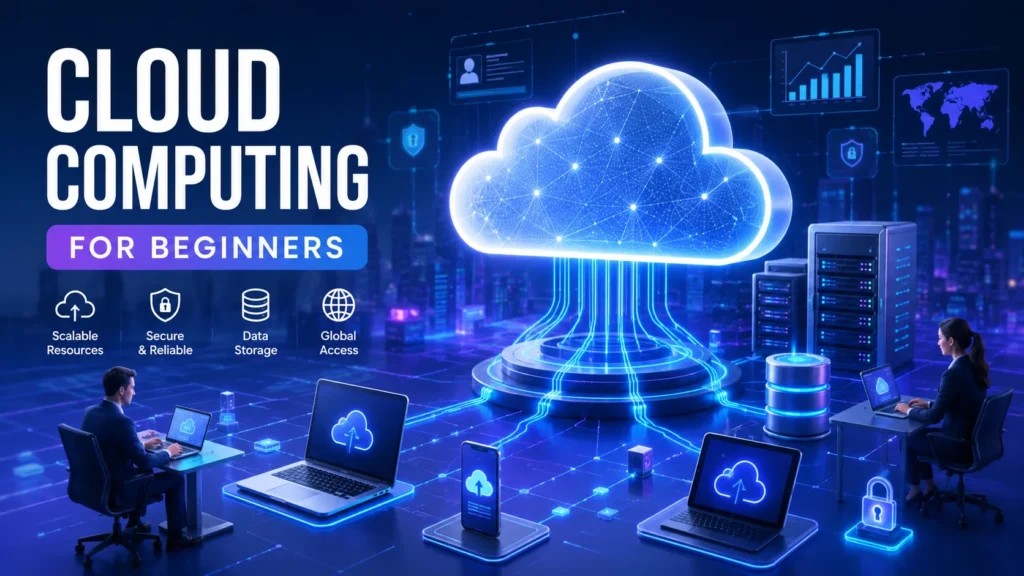
What is Cloud Computing?
Cloud computing is the delivery of computing services—including servers, storage, databases, networking, software, analytics, and intelligence—over the internet (“the cloud”).
Rather than purchasing and maintaining expensive hardware, users can rent computing resources on demand from cloud service providers. This model helps organizations reduce costs, improve efficiency, and scale operations quickly.
Simple Example of Cloud Computing
When you store photos on Google Drive, watch movies on Netflix, or use Microsoft 365 online, you are using cloud computing services.
Instead of keeping data on your device, the information is stored on remote servers managed by cloud providers.
How Does Cloud Computing Work?
Cloud computing works through a network of remote servers hosted in data centers around the world. These servers store and process data, allowing users to access services through the internet.
The basic process includes:
- A user sends a request through an internet-connected device.
- The request reaches cloud servers.
- The servers process the information.
- Results are delivered back to the user in real time.
This enables seamless access to applications, files, and services from virtually anywhere.
Key Components of Cloud Computing
1. Front-End Platform
The front-end includes devices and applications used by customers to access cloud services, such as:
- Computers
- Smartphones
- Tablets
- Web browsers
2. Back-End Platform
The back-end consists of:
- Servers
- Databases
- Storage systems
- Virtual machines
- Security systems
These resources power cloud services behind the scenes.
3. Internet Connection
A stable internet connection allows communication between users and cloud infrastructure.
Types of Cloud Computing
Cloud computing is generally divided into three deployment models.
Public Cloud
Public cloud services are owned and operated by third-party providers and delivered over the internet.
Benefits include:
- Low cost
- Easy scalability
- Minimal maintenance
Examples include Amazon Web Services (AWS), Microsoft Azure, and Google Cloud Platform.
Private Cloud
A private cloud is dedicated to a single organization.
Advantages include:
- Greater control
- Enhanced security
- Improved compliance
Private clouds are commonly used by large enterprises and government organizations.
Hybrid Cloud
A hybrid cloud combines public and private cloud environments.
Benefits include:
- Flexibility
- Better resource management
- Improved business continuity
Many businesses use hybrid cloud strategies to balance security and scalability.
Cloud Service Models
Cloud computing services are typically offered through three main models.
Infrastructure as a Service (IaaS)
IaaS provides virtualized computing resources such as:
- Virtual servers
- Storage
- Networking
Users manage applications while the provider manages the infrastructure.
Examples:
- AWS EC2
- Google Compute Engine
- Microsoft Azure Virtual Machines
Platform as a Service (PaaS)
PaaS provides a complete development environment for building and deploying applications.
Benefits:
- Faster development
- Reduced infrastructure management
- Improved collaboration
Examples:
- Google App Engine
- Heroku
- Azure App Services
Software as a Service (SaaS)
SaaS delivers software applications through the internet.
Users access applications through a web browser without installation.
Examples:
- Gmail
- Dropbox
- Zoom
- Salesforce
Benefits of Cloud Computing
Cloud computing offers numerous advantages for individuals and businesses.
Cost Savings
Organizations avoid large upfront investments in hardware and maintenance.
Scalability
Resources can be increased or decreased based on demand.
Accessibility
Users can access data and applications from anywhere with an internet connection.
Enhanced Security
Leading cloud providers implement advanced security measures, including encryption and threat detection.
Automatic Updates
Cloud providers regularly update software and infrastructure without user intervention.
Disaster Recovery
Cloud-based backups help organizations recover data quickly after unexpected incidents.
Common Uses of Cloud Computing
Data Storage and Backup
Cloud storage allows users to securely store and retrieve files from any device.
Web Hosting
Many websites and applications run on cloud infrastructure.
Software Development
Developers use cloud platforms to build, test, and deploy applications efficiently.
Big Data Analytics
Organizations analyze large datasets using cloud-based tools.
Artificial Intelligence and Machine Learning
Cloud providers offer AI services that help businesses automate processes and gain insights.
Remote Work and Collaboration
Cloud applications enable teams to collaborate from different locations in real time.
Challenges of Cloud Computing
Although cloud computing offers many benefits, there are some challenges to consider.
Internet Dependency
Cloud services require a reliable internet connection.
Security Concerns
Businesses must implement strong security practices to protect sensitive information.
Vendor Lock-In
Switching providers can sometimes be complex and costly.
Compliance Requirements
Organizations must ensure cloud services meet industry regulations and legal standards.
Top Cloud Computing Providers
Several companies dominate the cloud computing industry.
Amazon Web Services (AWS)
AWS is the world’s leading cloud platform offering a wide range of services.
Microsoft Azure
Azure provides enterprise-grade cloud solutions and integrates well with Microsoft products.
Google Cloud Platform (GCP)
Google Cloud is known for its data analytics, AI, and machine learning capabilities.
IBM Cloud
IBM Cloud offers hybrid cloud and enterprise solutions for businesses.
Future of Cloud Computing
The future of cloud computing continues to evolve rapidly. Emerging trends include:
- Artificial Intelligence integration
- Edge computing
- Serverless computing
- Multi-cloud strategies
- Cloud security advancements
- Internet of Things (IoT) expansion
As organizations continue their digital transformation journeys, cloud computing will remain a foundational technology.
Tips for Beginners Learning Cloud Computing
If you’re new to cloud computing, consider these steps:
- Learn basic networking concepts.
- Understand cloud service models (IaaS, PaaS, SaaS).
- Explore AWS, Azure, and Google Cloud.
- Practice using free cloud accounts.
- Learn virtualization and containerization.
- Study cloud security fundamentals.
- Earn beginner cloud certifications.
Conclusion
Cloud computing has revolutionized how technology resources are delivered and consumed. By providing scalable, cost-effective, and accessible computing services over the internet, cloud computing helps businesses innovate faster and operate more efficiently.
Whether you’re a student, IT professional, entrepreneur, or business owner, understanding cloud computing is an essential skill in today’s digital world. As cloud adoption continues to grow, gaining knowledge of cloud technologies can open doors to exciting career opportunities and business advantages.